
Skip to content
Apptekz
  • Home
  • Features
  • Pricing
  • Blog
  • About
  • Contact
Apptekz
  • How To | Knowledge Base | Progressive Web App (PWA) | Push Notifications | Reseller

    Firebase Cloud Messaging (FCM) Configuration for PWAs

    How to configure Firebase Cloud Messaging (FCM) for PWA push notifications on the Apptekz mobile app platform for resellers. This process is no longer required. We have already done the FCM configuration, so you don’t have to.
    Read More Firebase Cloud Messaging (FCM) Configuration for PWAsContinue

  • How To | Knowledge Base | Progressive Web App (PWA) | Reseller

    How to Publish a Progressive Web App (PWA)

    Progressive Web Apps, better known as PWAs, are designed to be quick to deploy and always up to date. They are built with the same development tools as our native mobile apps to simplify app development on multiple platforms simultaneously. Once the app is completed or even after a few features have been added, a…

    Read More How to Publish a Progressive Web App (PWA)Continue

  • Knowledge Base | Reseller

    Custom App Design Services

    Did you know that Apptekz can create a custom app design for you or your customers? That’s right, Apptekz provides a complete app design service for our mobile app resellers and customers. If you need a feature that we don’t currently offer, reach out and let us know about it and we’ll see if there…

    Read More Custom App Design ServicesContinue

  • Android | How To | iOS | Knowledge Base | Reseller

    How to Publish a Mobile App on the app stores

    Apptekz provides a Done for you publishing service, as well as the ability for resellers and small businesses to publish their own apps on the app stores for both iOS and Android. We also offer free PWA publishing for all app owners and resellers to either use their own custom domain or our unbranded custom…

    Read More How to Publish a Mobile App on the app storesContinue

  • Engagement | How To | Knowledge Base | Loyalty | Promotions | Restaurants

    How to use QR Coupons

    This feature enables the creation of discount coupons that are unlocked by scanning a specific QR Code. Once unlocked, the app will make the discount coupon available for the customer to use. The coupon will not appear in the app for the user until they scan the QR Code. The business owner must first create…

    Read More How to use QR CouponsContinue

  • calendar
    Engagement | Events | How To | Knowledge Base | Reseller

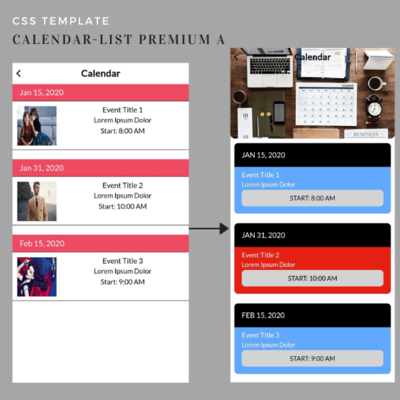
    How to Implement the Calendar Feature

    The Calendar feature provides the ability publish events on the calendar and allows app users to view, share, and RSVP to the events. Publish the time, place and date of events, as well as images and links. Both iCal and Custom events are available within this feature. To create an Event Calendar, click on the “Calendar”…

    Read More How to Implement the Calendar FeatureContinue

  • How To | Knowledge Base | Push Notifications

    How to use the Topics Feature

    The Topics feature allows the app owner to create topics for the purpose of allowing app users to pick the types of Push Notifications they would like to receive from the business. This can be useful to help app users avoid receiving unwanted or too many messages that could result in them uninstalling the app…

    Read More How to use the Topics FeatureContinue

  • Engagement | How To | Knowledge Base | Promotions

    How to enable the Social Sharing Function

    The Social Sharing function allows app users to share app information with their contacts and friends, through their social networks or messaging applications. To enable the function for a feature, you just need to switch the Social Sharing button in this feature. For example, here in Catalog feature: : Enabled : Disabled Note: You will not see…

    Read More How to enable the Social Sharing FunctionContinue

  • How To | Knowledge Base | Reseller

    How to add internal links (in app links)

    This functionality allows you to create links to a page within your app from another page. You can create internal links with the following features: Places, Custom page, Inbox, Source code. In the text editor there is a new button: To open the menu from source code, click on the insert in-app link button: Once you…

    Read More How to add internal links (in app links)Continue

  • Knowledge Base

    Mobile App Features that require the My Account page

    Mobile App Features that require the My Account page for Personalization or Login This list may be updated from time to time to include new features or changes to existing features. Appointment Pro Birthday Classifieds Club Card Commerce Community Contest Discount Event Pro In-App Messages Inbox Job Loyalty Card Padlock/Padlock Pro Profile Progressive Loyalty Card…

    Read More Mobile App Features that require the My Account pageContinue

Page navigation

Previous PagePrevious 1 … 4 5 6 7 8 9 Next PageNext
  • Home
  • Pricing
  • About
  • Contact

© 2026 Apptekz Mobile Powered by Apptekz

Review My Order

0

Suggested for you

Subtotal

Taxes & shipping calculated at checkout

Checkout
0
  • Home
  • Features
  • Pricing
  • Blog
  • About
  • Contact

Notifications